Verification with Bot Command
Step 1: Initiate Verification
In the Dreamer's Land Discord server, use the /verify command of Dreamer Helper bot. An embed message containing a verification link will be created by the bot.
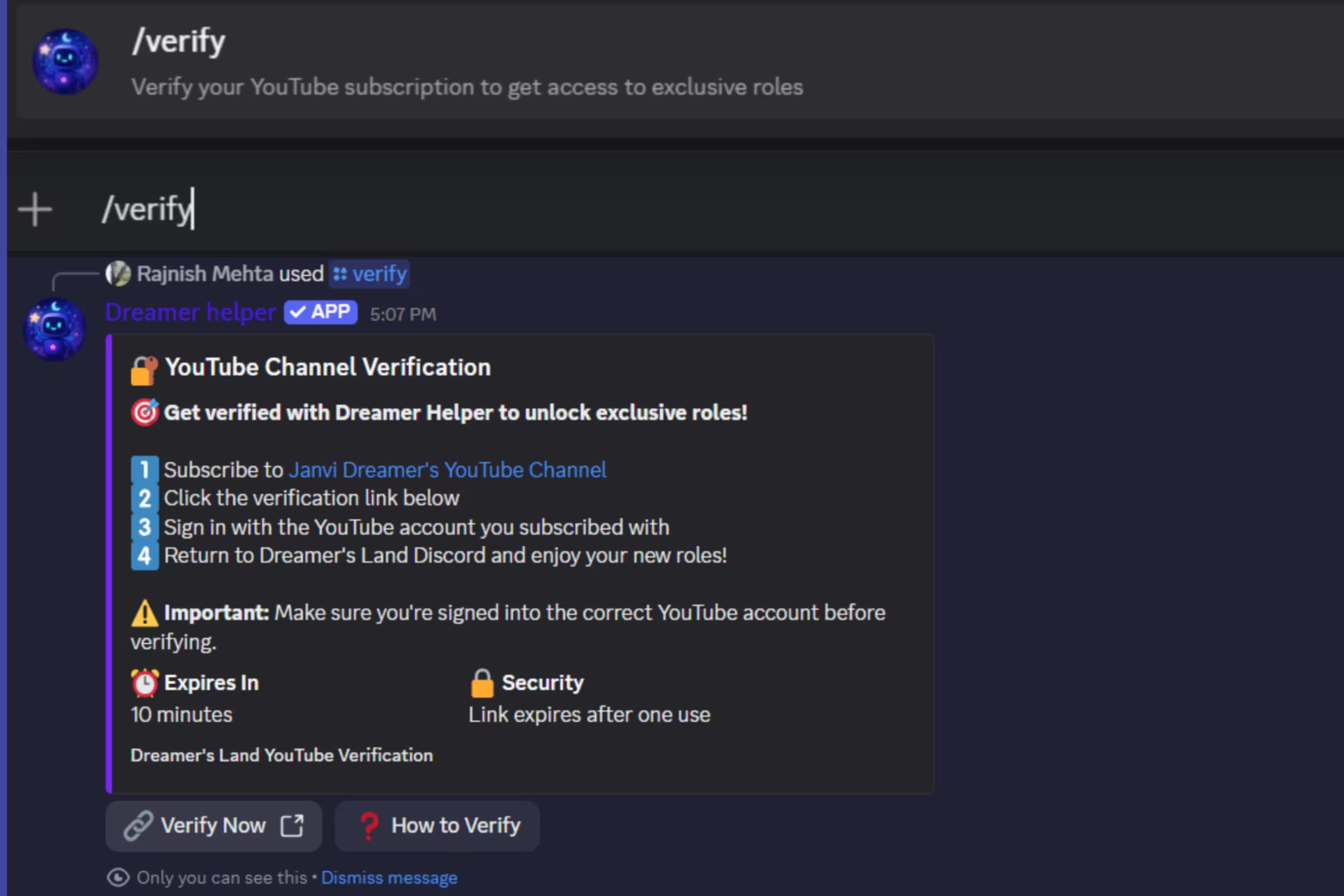
Click the Verify Now button to proceed to the verification.
Step 2: Token Verification
Your token will be automatically verified by the system. After token verification, the YouTube connection screen will appear as in the screenshot below.
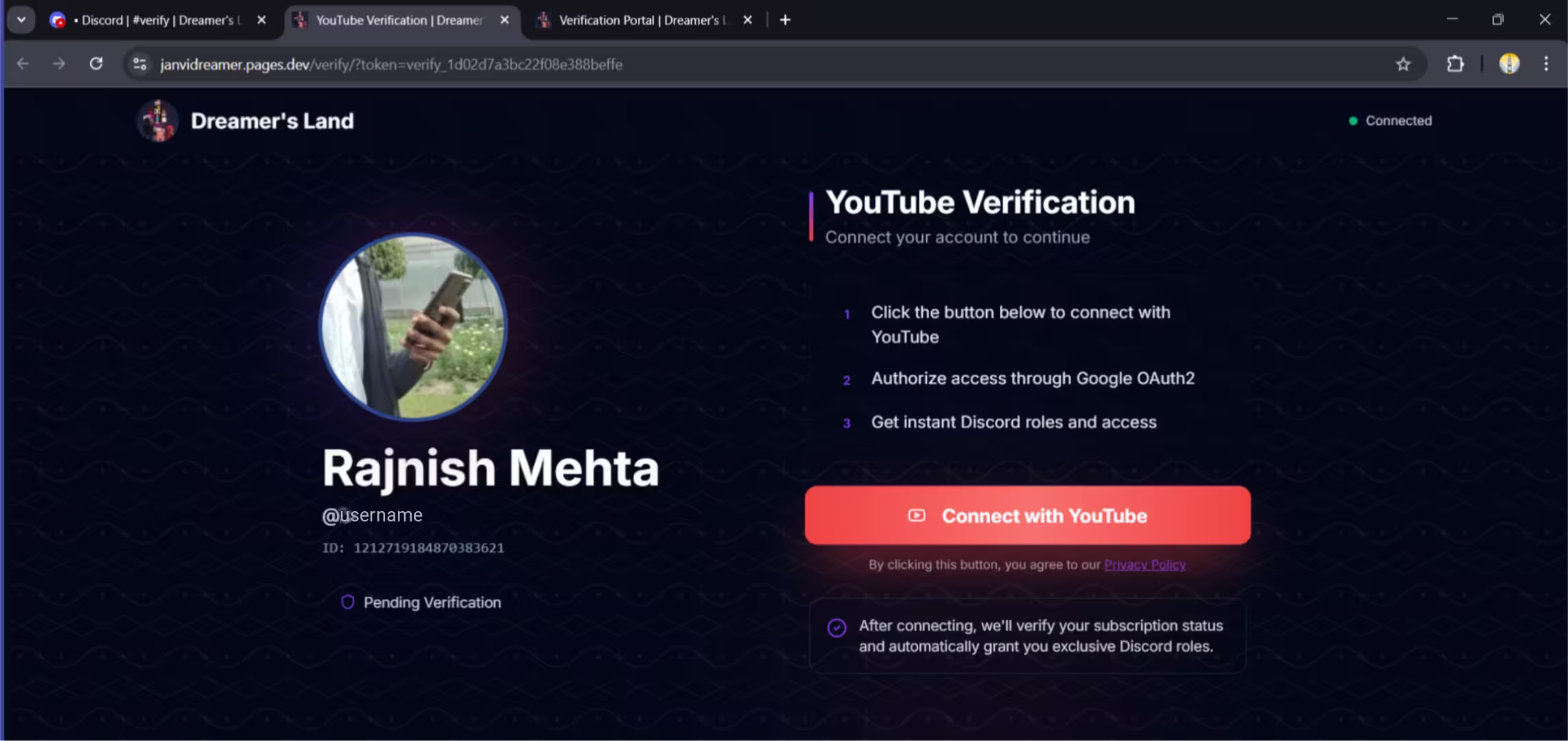
Click the Connect with YouTube button to continue.
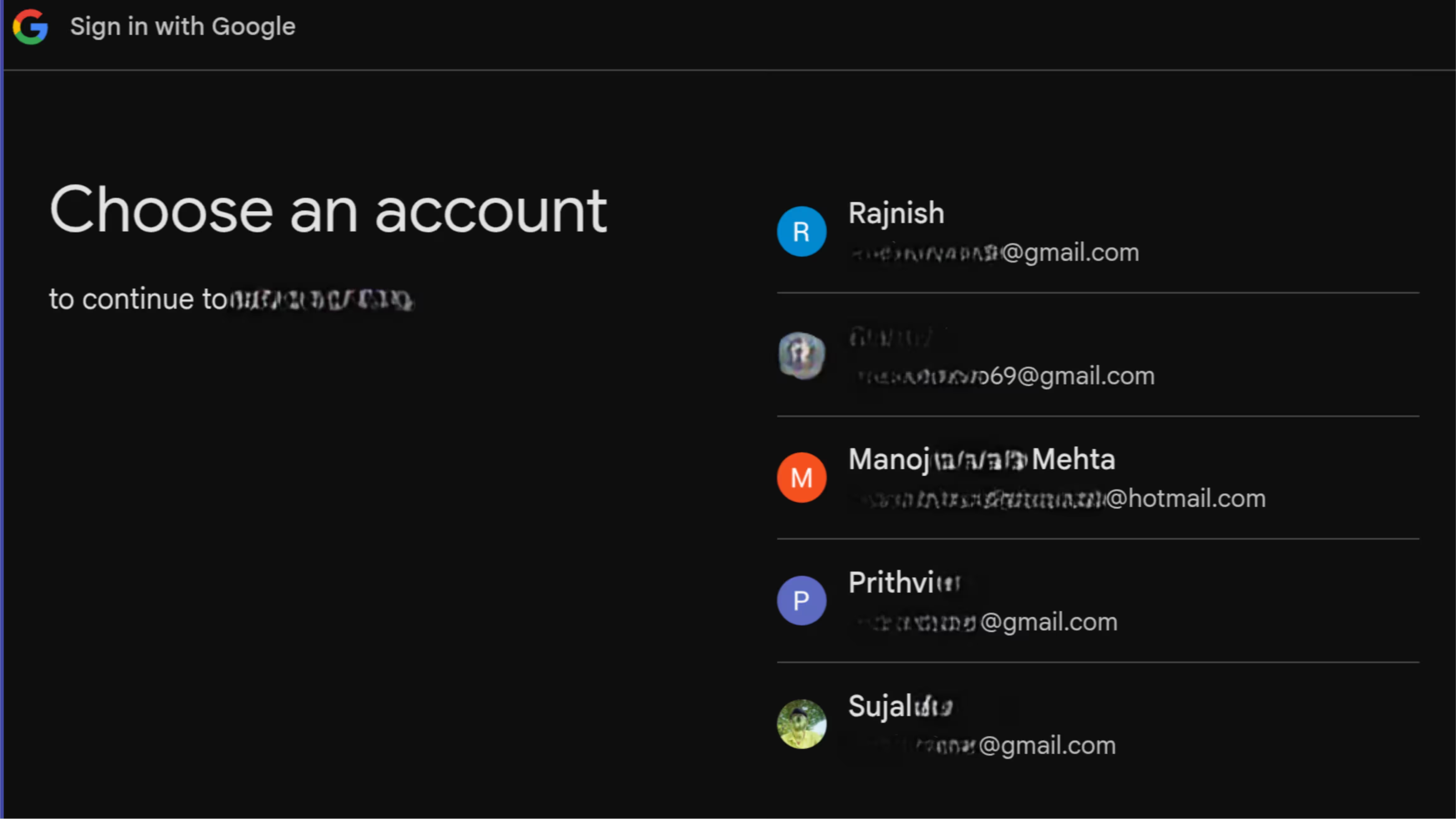
Step 3: Select Your Google Account
Choose the Google account associated to your YouTube channel.
Step 4: Grant Permissions
Continue with read-only permission to verify your YouTube account. Await the completion of the verification process. it will done in approx five seconds.
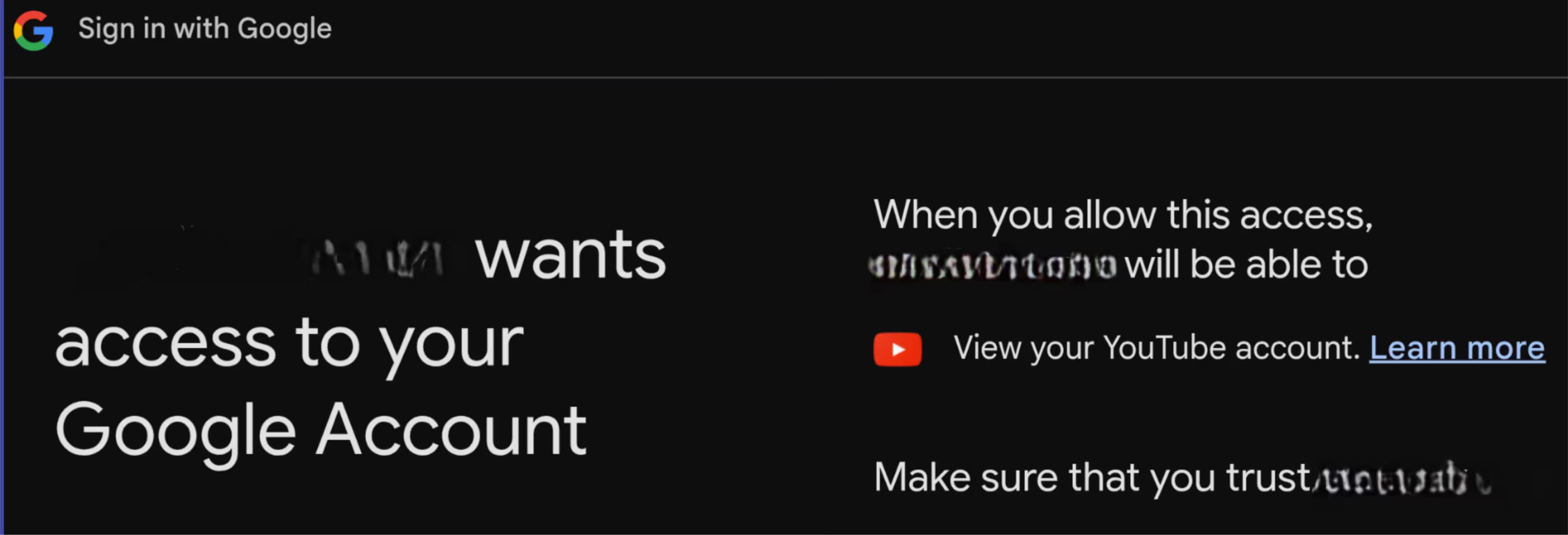
Privacy Note: We only access your YouTube account's public data and subscriptions for verification purposes. Your subscriptions are not stored in our database, and we cannot access your email address or any private information.
Step 5: Verification Completed
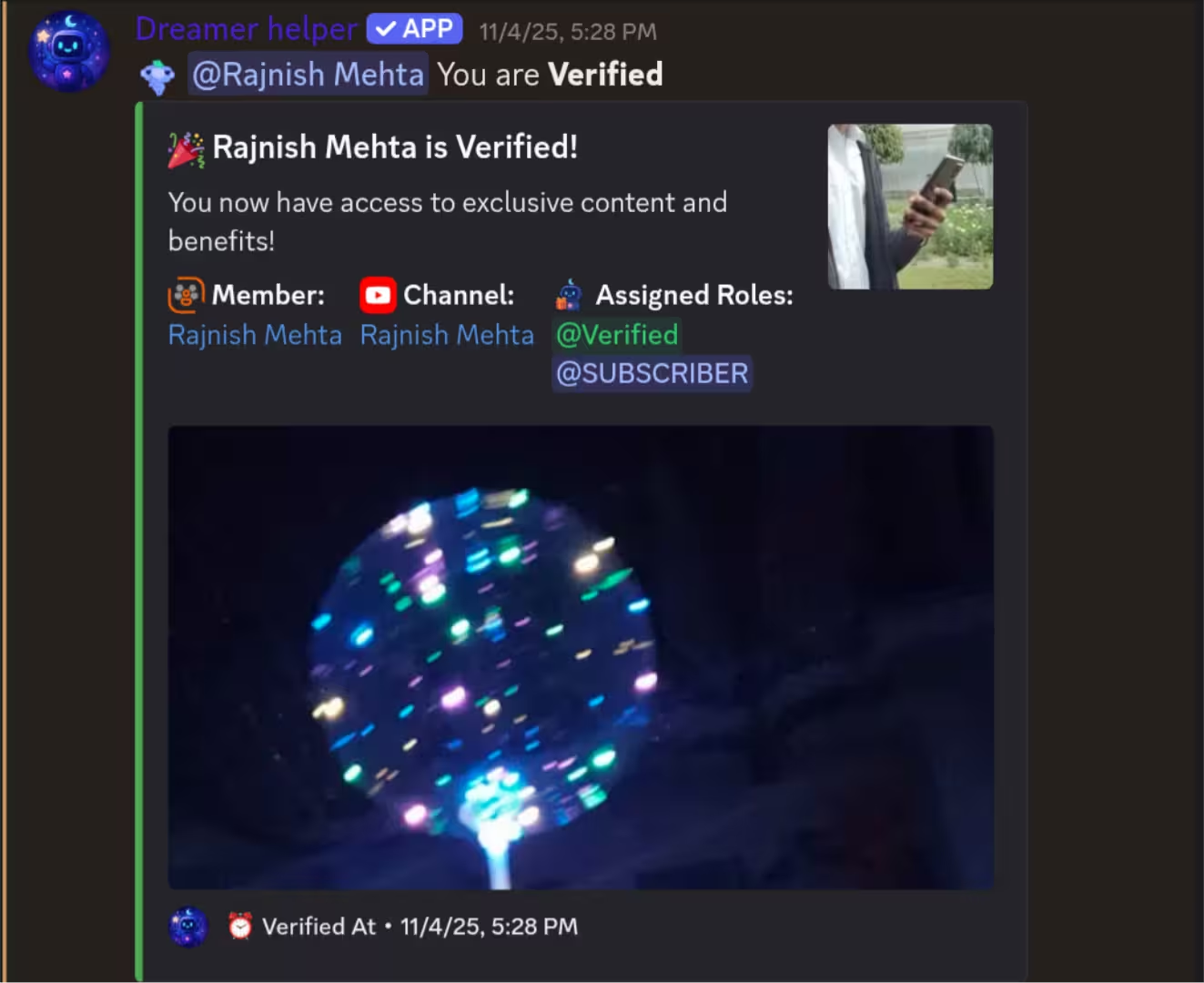
Congratulations! You're now verified. All eligible roles and rewards have been automatically assigned on discord. Head back to the Discord server to see your new roles.