Data Deletion
Important Information
If you only logged into our site through Discord, we don't keep any of your information in our database. When you log in with the Discord bot, we only get your Discord information once. After that, we never look at it again. The data that was retrieved is only saved locally in your browser's localStorage for the session. If this is the case, you can be sure that no personal information is left on our servers. Just log out.
When you're done verification with Google OAuth, you can use the steps below to delete any information related to verification.
How to Delete Your Data
You can get rid of your data in the following ways:
1. Revoke access:
Take away access through your Google account You can take away access from the connected app in your Google Account Settings. Within 24 hours, your data that we have on file will be deleted from our system.
2. Instant Data Erasure: (Recommended)
-
In the Dreamer's Land Discord server, use the Dreamer Helper bot's
/verifycommand. If you have been verified, an embed message with a Delete Data button will show up, as shown below.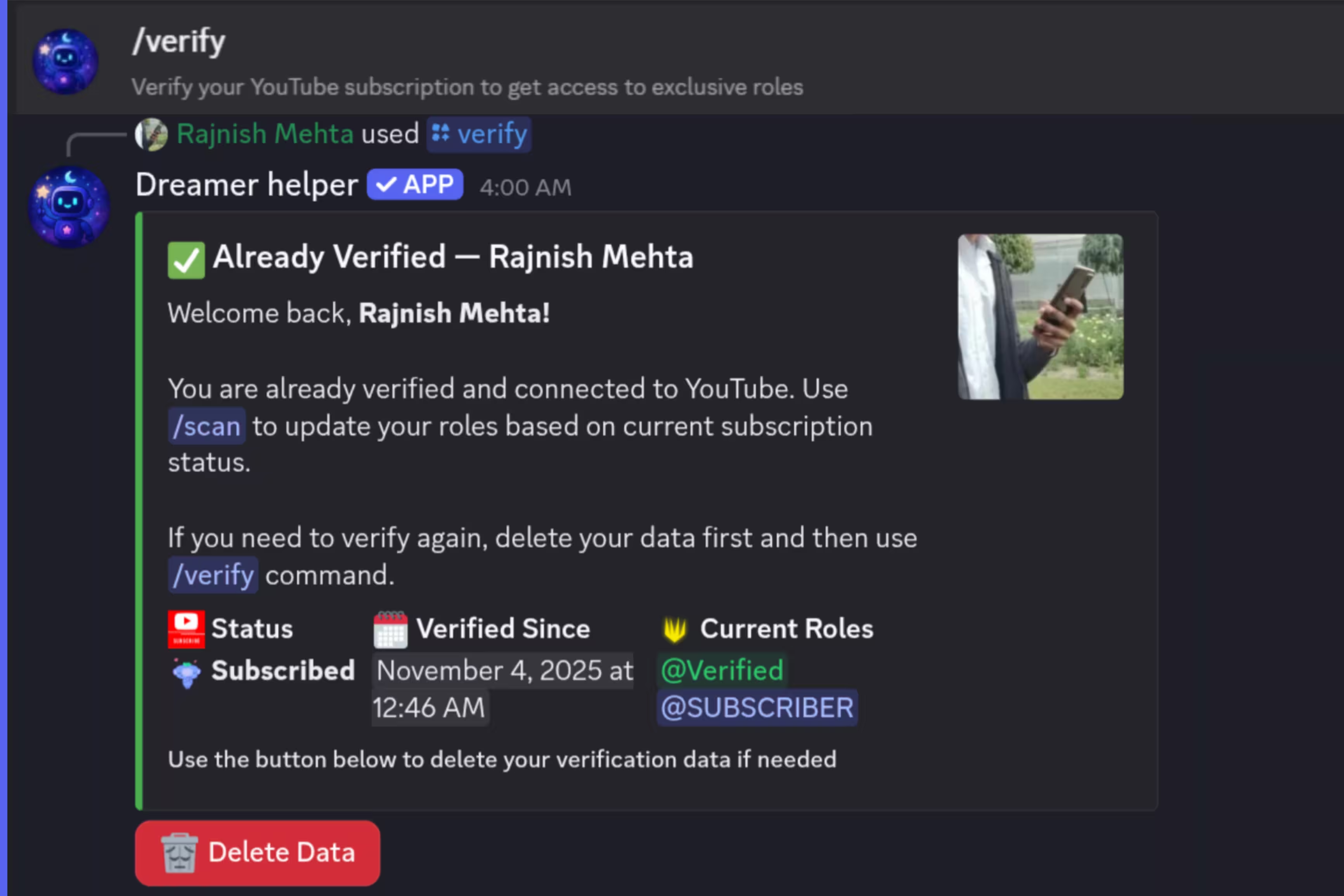
-
To be sure, click the DELETE DATA button.
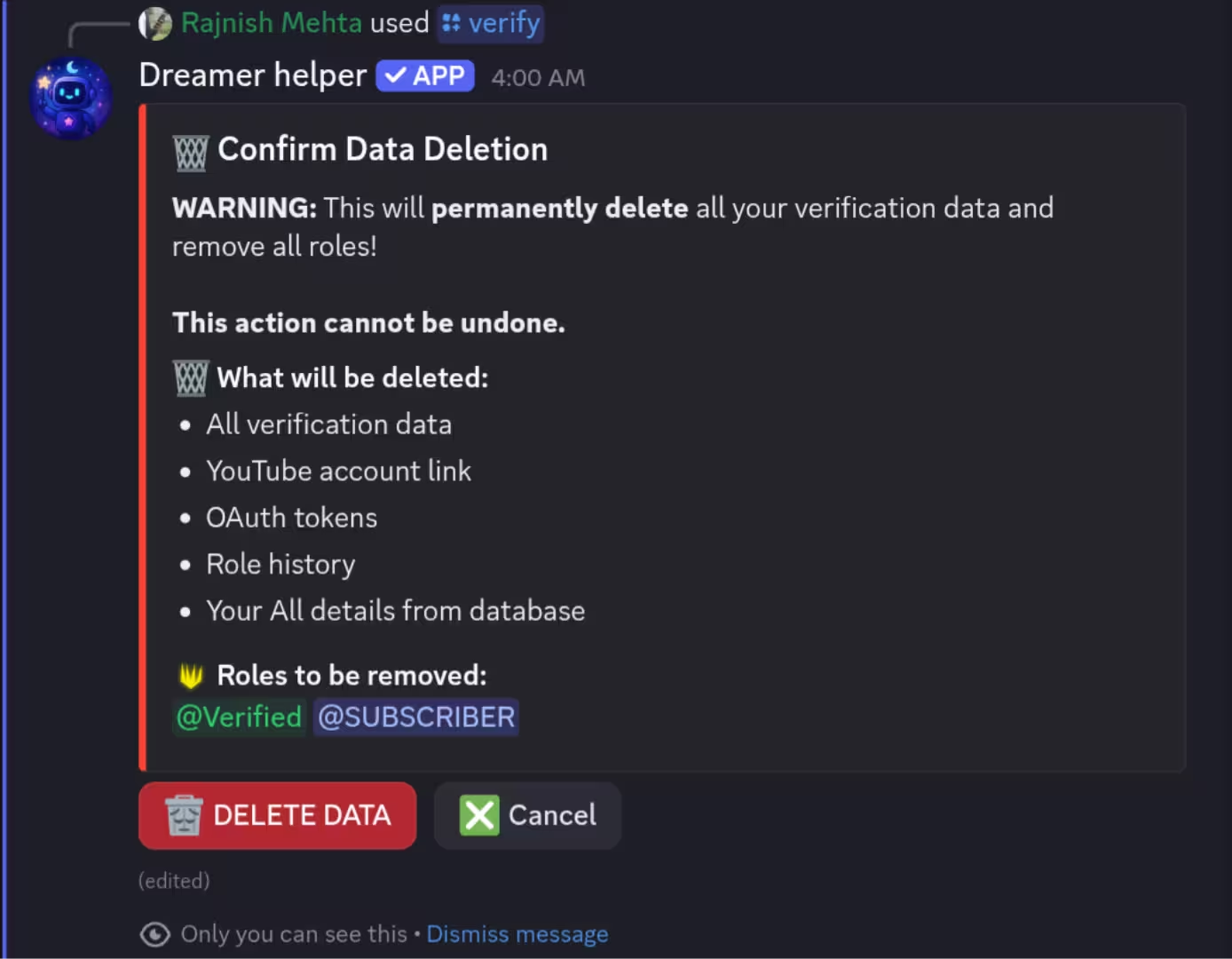
-
Your data will be permanently deleted after it is finished, and a message verifying the unverify action will show up in the server's logs channel.
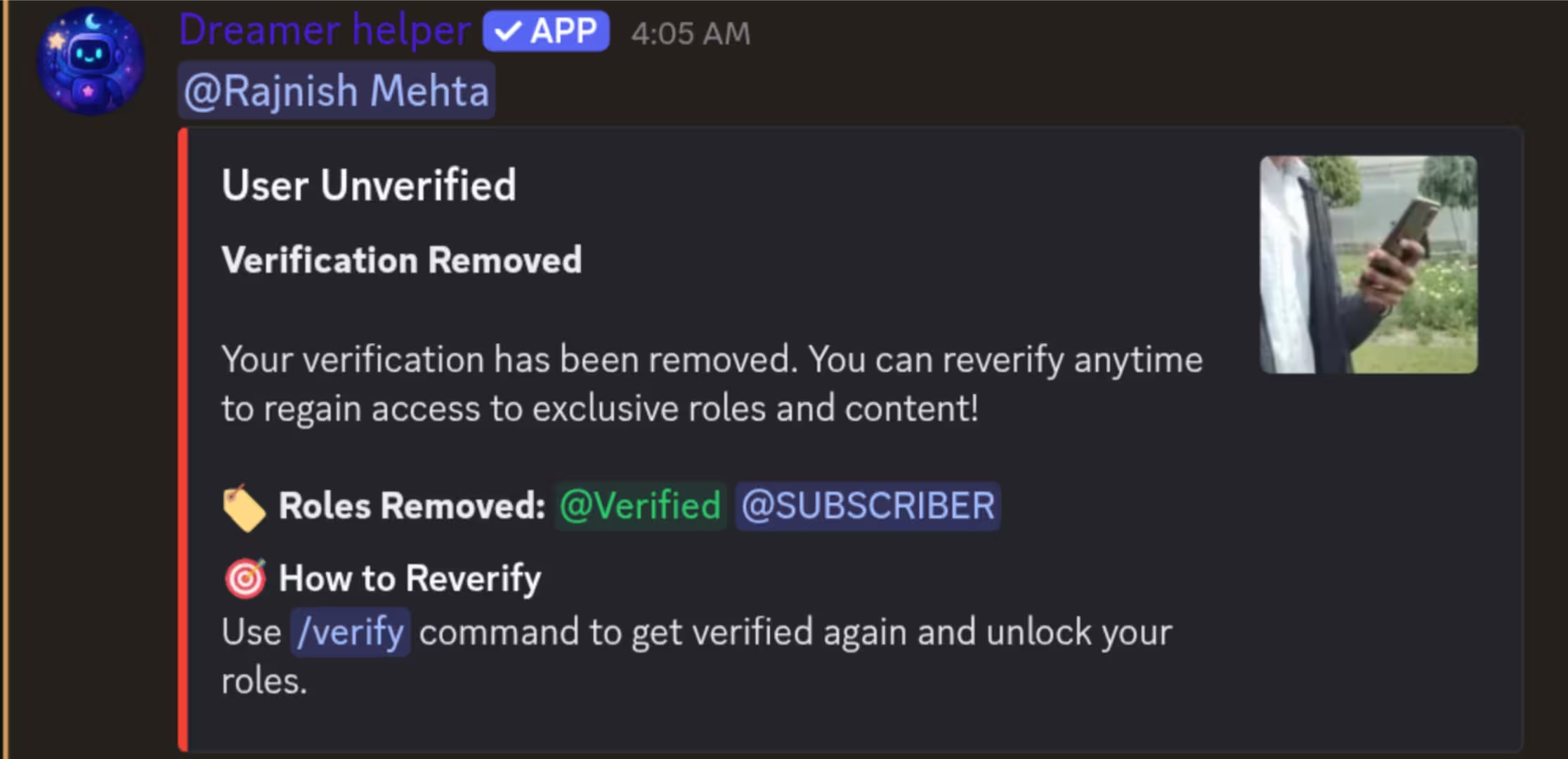
3. Leaving the Discord Server:
Within 24 hours of leaving the Dreamer's Land Discord server, all of your data will be automatically erased. (this method is not recommended.)
Final Note: You have complete control over your data at all times.You can use the above options to delete it whenever you want.